Bone From Vertex Group
Object |

This Operator Creates Bones from Vertex Groups

It Calculate the Median or Bounding Box Midpoint of the Vertex in the Vertex Group (Not Affected by Weight) and Create a Bone for it using the Vertex Group Name
You can Create Bone by choosing One Vertex Group or you can Create Bone for All Vertex Group
General Option
All Vertex Groups: Use All Vertex Groups

Vertex Group (All Vertex Groups Off): Pick Vertex Group

- Position Mode
Geometry: Calculate the midpoint of the Vertex Group
Bounding Box: Calculate the Bounding Box Midpoint of the Vertex Group
Deform: Turn On/Off Deform for created bone
Bind Option

- Add Armature Modifier:
Add Armature Modifier to Reference Objects
- Parent To Armature:
Parent Reference Object to Armature
Tail Option
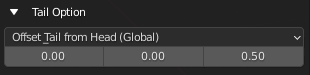
Tail Mode
Set Up Bone’s Tail Position
- Offset Tail From Head (Global)
Offset the tail from the head by the offset Vector in the Global Space
- Offset Tail From Head (Local)
Offset the tail from the head by the offset Vector in the Local Space of the Reference Object
Tail Offset Amount
The Vector Used to offset the tail
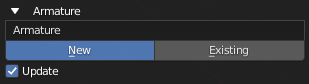
Armature Option
Armature Name / Armature Picker
Name for New Armature or Pick a Existing Armature to Add Bone to
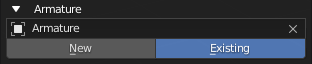
Armature Choice
Choose to create New Armature or Use Existing Armature
- New: Create bone to a New Armature that uses the Name Above
- Exist: Create bone to existing Armature above
Update
Set the Operator to Existing and Use the Created Armature After Creating the Armature